
SwitchBot released their latest hub with the SwitchBot Hub 3. It has a complete new design and several improvements with respect to Matter support and the control of your SwitchBot and Matter devices. In this review, we’re looking into all these changes and conclude with an advice on which SwitchBot hub you need for your Smart Home.
Features SwitchBot Hub 3
The SwitchBot Hub 3 is a central hub for your SwitchBot devices. Connecting Bluetooth devices will allow you to control these remotely, both from the SwitchBot app or in another Smart Home app via Matter. With the Hub 3, you can now bridge up to 30 devices into Matter, which is probably sufficient for most households. Next to your SwitchBot devices, of which most work over Bluetooth, but some also over Wifi and don’t need a hub, you can also control IR controlled devices like an Air Conditioner. You can learn the commands by using your old remote, allowing you to control IR devices remotely via the SwitchBot app.
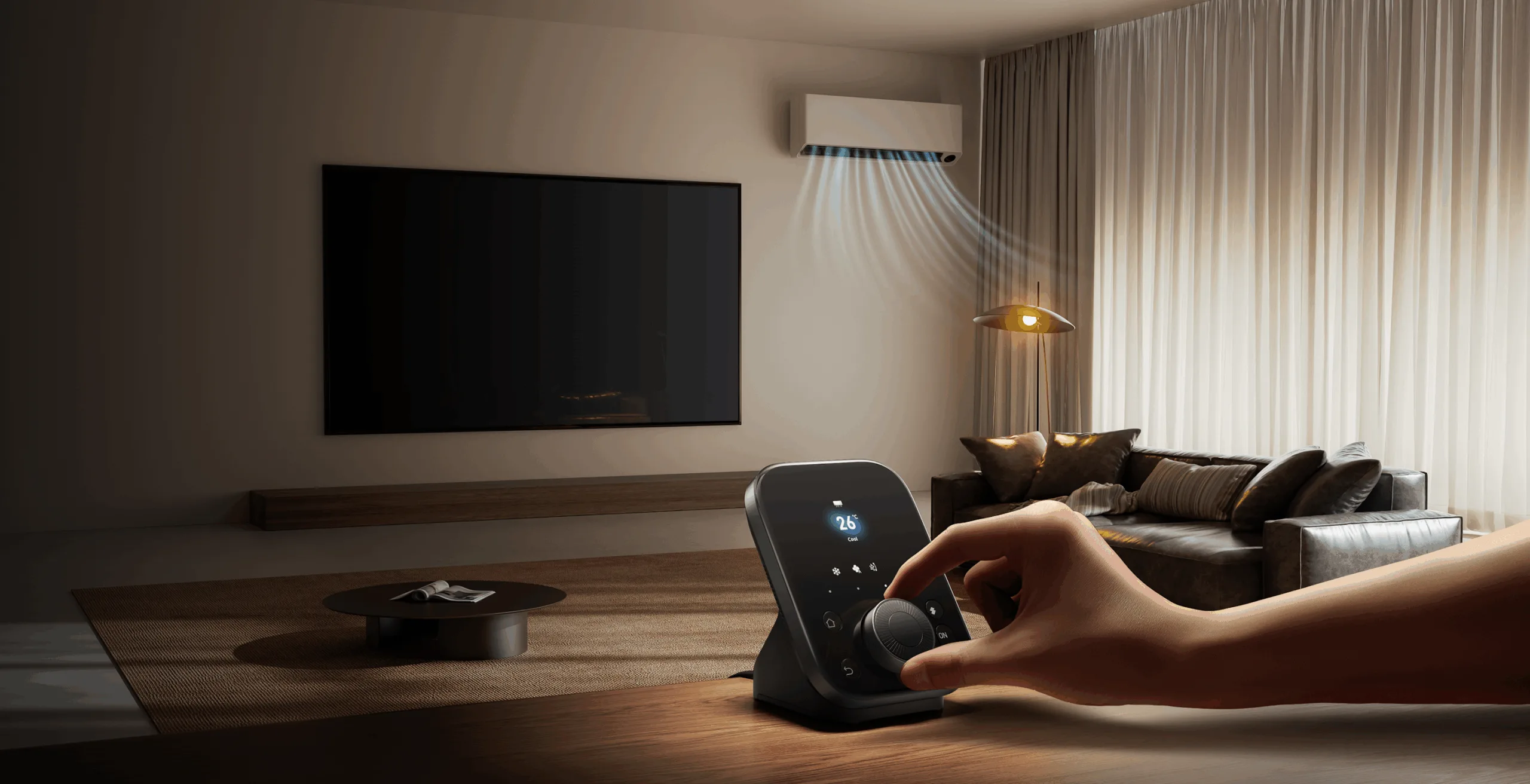
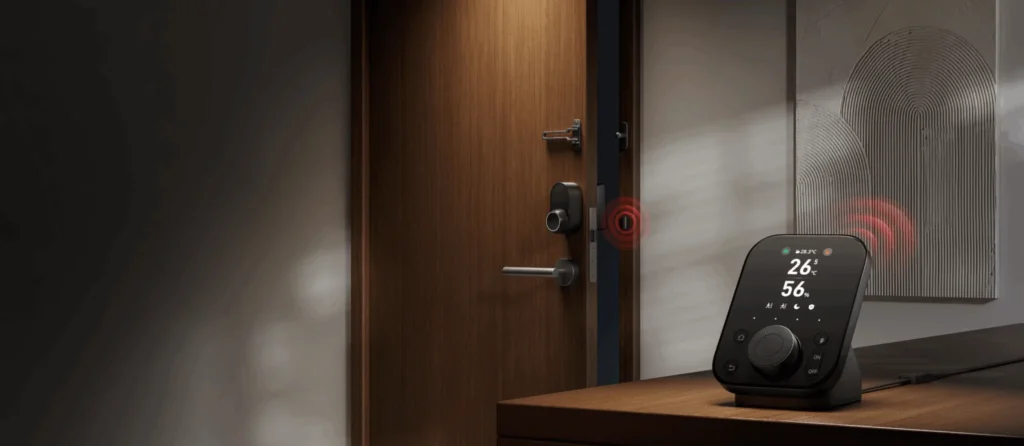
Next to using the app to control your Smart Home devices, the SwitchBot Hub 3 itself is completely redesigned and also plays a bigger role in controlling your devices. It has a screen, which sows the temperature and humidity of the build-in sensor. Below the screen are four touch buttons, which you can connect to specific devices or scenes. There are four physical buttons, as well as a rotary knob. With these buttons and the knob, you can scroll through connected devices and operate them. Third-party devices like an Apple TV or ChromeCast can also connect to the hub, which allows you to for example control the volume with the rotary knob.
Daily use SwitchBot Hub 3
Where the SwitchBot Hub 2 is a small and light hub, the SwitchBot Hub 3 is suitable for a more central place in your home. Although the hub 3 is a lot bigger, it doesn’t really draw much attention and blends into the background. That’s at least the case in my situation, where it’s situated near the TV and Sonos soundbar, which are both black as well. It’s nice to have a good view of the temperature and humidity, however somehow I confuse it with the time, as it’s layout looks similar to a digital clock and the numbers shown are quite often matching certain times, like 23 degrees and 55% humidity.
With respect to the control of SwitchBot devices with the Hub 3, it’s very easy and quick. Depending on the device type, you get various controls. Not all controls are integrated with the hub 3, as you can e.g. only start and stop your robot vacuum. In my daily use however, I don’t tend to use the control options on the SwitchBot Hub 3, as it’s usually not the closest device to perform an action. This is usually either my phone, a wireless button or just an automation. For me, the most added value is in the Matter support of the SwitchBot Hub 3.
Matter is integrated in two ways with the SwitchBot Hub 3. First, it allows you to bridge up to 30 devices from SwitchBot into Matter. This allows you to use and control these devices in Apple HomeKit, Google Home and other Smart Home platforms. In my case, I use this to connect the SwitchBot Lock Ultra to Apple HomeKit, but also several SwitchBot Bots, a Meter Pro and a humidifier. Another option to use Matter is to use up to 8 out of the 30 devices to create virtual Matter buttons. These buttons are exposed to Apple HomeKit, which allows you to connect an action to this button. This can be a device from another brand, but also a scene. The virtual buttons show up on the SwitchBot Hub 3 and allows you to control these devices and scenes via the buttons on the hub 3.
SwitchBot Hubs: which one do you need?
Next to the SwitchBot Hub 3, you also have the SwitchBot Hub 2, SwitchBot Hub Mini Matter enabled and the SwitchBot Hub Mini. However, SwitchBot recently also introduced several relays and a smart plug which can act as a small SwitchBot Matter Hub for up to 2 devices. With 4 different hubs and some other options, here’s my advice what to choose in your situation:
SwitchBot Hub Mini: If you have several SwitchBot devices and want to control them in the SwitchBot app or Google Home.
SwitchBot Hub Mini Matter Enabled: If you have just a few SwitchBot devices and want to expose these to another platform via Matter, like Apple HomeKit. The Matter device limit is 4.
SwitchBot Hub 2: If you want to control up to 8 devices via Matter and if you value the screen and build-in temperature- and humidity sensor.
SwitchBot Hub 3: If you want to control more than 8 devices over Matter. As a bonus you have device control with the buttons on the hub 3.
SwitchBot Relays or Smart Plug: If you have a few SwitchBot devices which you want to control over Matter, and also need a relay or smart plug. Each relay or smart plug can bridge 2 SwitchBot devices over Matter. This means, if you have 2 smart plugs, you can control these plugs as well as 2 other SwitchBot devices over Matter without a separate hub. You can also opt to not expose the plugs and use these slots for up to 2 other SwitchBot devices per relay/smart plug.
With the new SwitchBot Smart Plug, you also have a cheap new option to gain Matter support for another SwitchBot device. If you just own a SwitchBot Lock Ultra, this is the cheapest option
Conclusion
The SwitchBot Hub 3 is a great hub if you are all into Matter and like to connect your devices from SwitchBot to Apple HomeKit or another Matter platform. The increase from 8 (with the hub 2) to 30 devices you can bridge into Matter is the most important feature of this hub. The new design is of course a matter of taste, but I definitely like the more robuust and black colored hub. The buttons on the hub to control SwitchBot or Matter devices are nice, but personally not something I’m using very often. Apart from that, the design and the Matter update, most of the functionality of the hub is equal to the hub 2. The SwitchBot Hub 3 does feel like a solid and future-proof choice if you plan to extend your Smart Home with more SwitchBot products in the future. As mentioned above, it really depends on the number of SwitchBot devices you own and if you like to use the Matter feature which hub is the best choice for you.
The SwitchBot Hub 3 is available on the SwitchBot official website and Amazon for €129,99/£129,99/$119,99.