

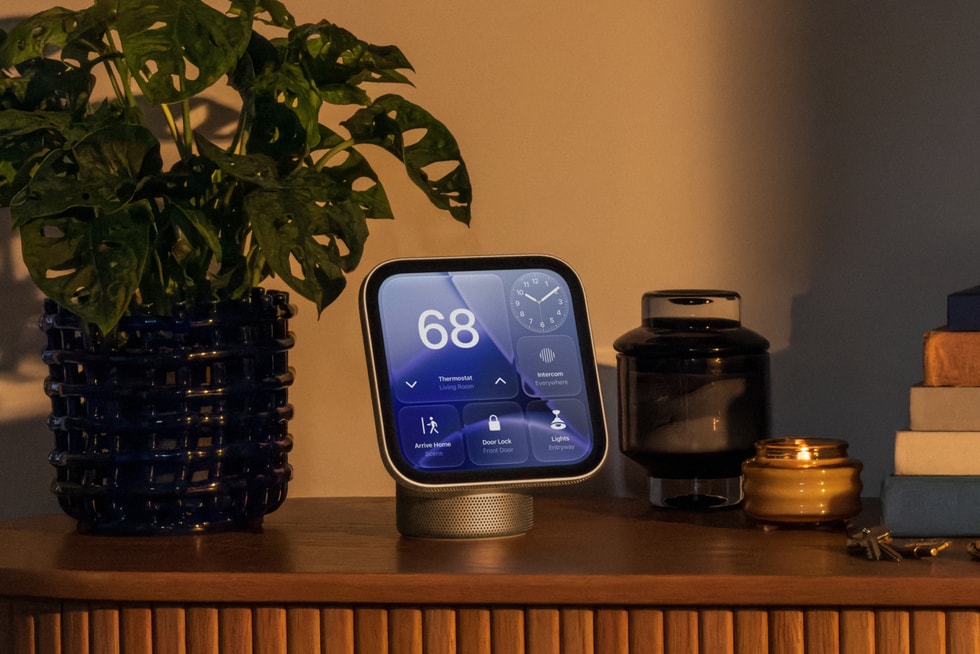
The Apple HomeView could also work as a security camera. Code researcher pdfu found settings text in HomeView Software 27.2 that describes the smart display acting as a HomeKit Secure Video camera. That would give the built-in 12-megapixel camera a job beyond FaceTime and face recognition. Don’t count on it yet, though: Apple hasn’t confirmed the feature, and pdfu says it isn’t fully wired up in the software. There’s also no word on when it might arrive.

What the Apple HomeView code says
The text describes four states: off, detect activity, stream, and stream and allow recording. Those are the same options existing HomeKit Secure Video cameras offer in the Home app. You would set them per situation: when someone is home, when everyone is away, and when the household is asleep. Home and away already exist and rely on the location of household members. The asleep option is new, and it isn’t clear how HomeView would work out that everyone has gone to bed.
You would manage face recognition and Activity Zones through the Home app on your iPhone. Pdfu also found a HomeView configuration for local 1080p video at 30 frames per second, which HomeKit Secure Video sessions use. The feed would therefore sit well below the camera’s 12-megapixel resolution, although that is common for security cameras. The settings may appear in a new Home Accessory Alerts menu.
A green light and a sound when someone watches
A camera in your living room or kitchen is more sensitive than one by the front door, and Apple seems to know it. According to the text, a green indicator appears on the display and a sound plays whenever someone opens the live stream or recording starts. Only members of your home could view the footage, and household members get a notification when the settings change. Turning on stream and record while people are home could only be done on the HomeView itself, not remotely.
One detail stands out in the Home app text. HomeView may take photos to refresh the camera preview when a member opens the app on their own device, again with a green light. On the other hand, visitors and children don’t get to choose whether they appear on camera, and a light or alert only comes once the camera is already looking. So talk to the people you live with before you turn on something like this, especially in rooms where you spend a lot of time.
HomeView security camera or a dedicated camera?
A dedicated HomeKit Secure Video camera keeps clear advantages. You can put it exactly where you need the view, while the position of a HomeView mostly depends on where you want to use the screen. HomeView also only sees the room in front of it and isn’t an outdoor camera. Then again, you wouldn’t need an extra device if the display is already in your home. HomeKit Secure Video recordings run through iCloud+, with footage stored encrypted. HomeView is a home hub itself, just like a HomePod mini 2 or Apple TV.
Google has already shown the combination can work: the Nest Hub Max can act as a Nest Cam, while the Pixel Tablet never gained that feature. Apple’s announcement only mentions FaceTime and viewing other cameras, not using HomeView as a camera. Software text sometimes describes plans that change or never ship, so treat this as a strong hint rather than a promise.
Apple HomeView price and availability
HomeView goes on sale on November 13 in countries including the US and UK, and it costs $299 in the US. Apple is not selling it in the EU, because Siri AI isn’t available on iOS there. If you’re in a launch country, you can order the Apple HomeView now, but buy it for what it does today and see any camera mode as a possible extra.
Every Tuesday: the week's most important smart home news, new products and the best deals in your inbox. Free, unsubscribe any time.

